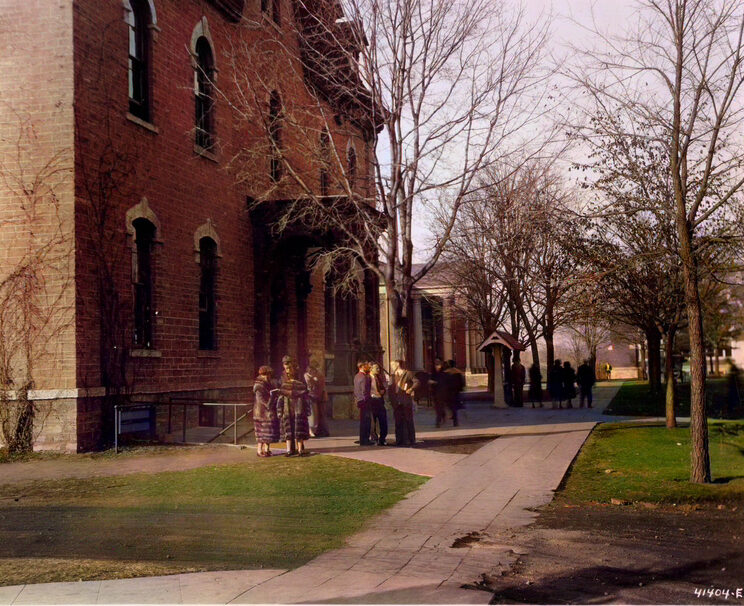
Immersive environments are one of the newest areas of DH experimentation. 3D simulation, Virtual Reality and Augmented Reality were until recently only accessible with high end hardware and produced end products that were so large they were hard to deliver over the internet. As the technology improves, internet bandwidth grows, and the computers in our pockets get more and more sophisticated, these projects are now coming into their own.
Beyond GIS
David Bodenhamer suggests that 3D technologies can move us beyond GIS as a representation of space to a deeper understanding of place. He writes
For humanists, the goal is not proof but meaning. The challenge, then, is to use geospatial technologies to probe, explore, challenge, and complicate—in sum, to allow us to see, experience, and understand human behavior in all its complexity and to view its deep contingency. As in traditional humanities scholarship, the aim is less to produce an authoritative or ultimate answer than to prompt new questions, develop new perspectives, and advance new arguments or interpretations.
David Bodenhamer, “Beyond GIS: Geospatial Technologies and the Future of History,” 2013
In groups: explore one of the following immersive 3D projects:
- Chinatown: Time Travel from the NY Times
- BAGAN: Google Arts & Culture
- Centring Spenser: Kilcolman Castle
Designate a reporter and be prepared to share the project and briefly answer all three questions. Reference the readings as you discuss.
- What new questions does it prompt?
- What new perspectives does it develop?
- What new arguments or interpretations does it advance?
How to Make a Model
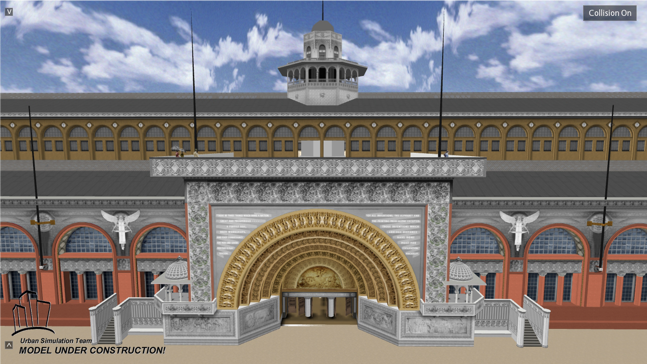
Manual 3D modeling techniques like those we’ve attempted in SketchUp are very effective and have had a long history of producing impressive digital humanities projects. Lisa Snyder’s long-running project to recreate the World’s Columbian Exposition of 1863 in Chicago is a prime example of what these techniques can accomplish in skilled hands.
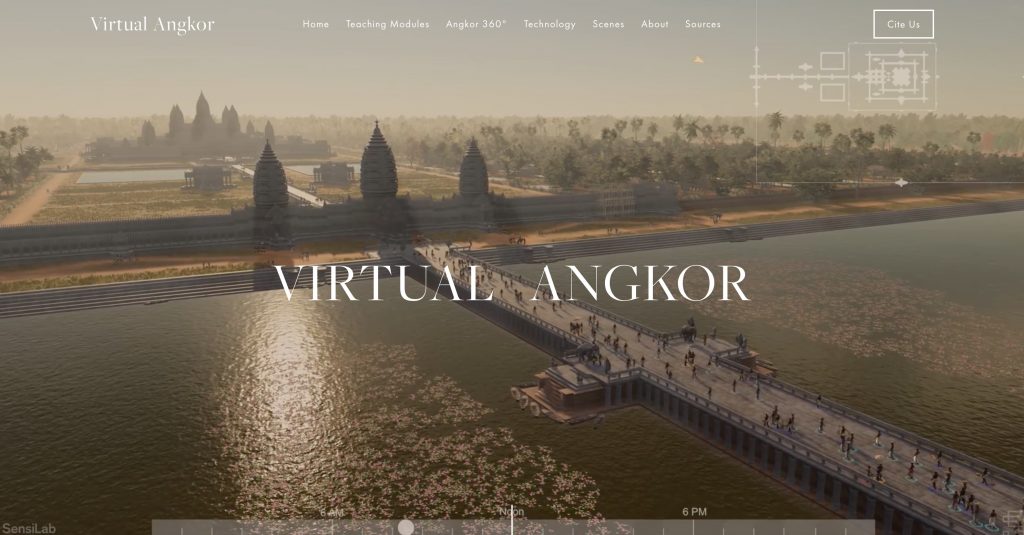
Increasingly, however, computers are doing more of the heavy lifting. There are several methods of generating 3D models that rely on algorithms to create geometric meshes that are being adopted for DH projects along with techniques borrowed from the film and video game industries like motion capture. The award winning Virtual Angkor being a prime example of the leading edge of these techniques.
Two major current methods for generating 3D content are procedural modeling and photogrammetry, which we’ll discuss today.
Procedural Modeling
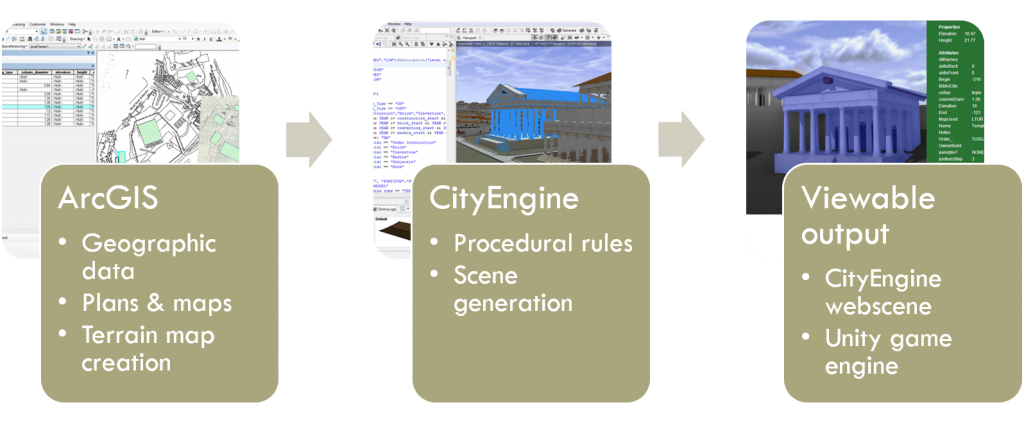
This term refers to the generation of complex geometry from basic shapes through the application of code-based rules. The leading platform for this type of work in DH is CityEngine, owned by ESRI, the makers of ArcGIS. This technique allows a user to produce, modify and update large, textured models of entire cities quickly and iteratively. The output can be explored online or integrated with gaming software or 3D animation packages to produce video games, simulations and movies.
This software was developed for modern city planners and urban architects, but has increasingly been put to use on historic landscapes and built environments, as in the impressive work of Marie Saldaña who developed a Roman temple rule set.
For the past several years, a project here at Carleton led by Serena Zabin and Austin Mason has been using procedural modeling to recreate colonial Boston circa 1770 as part of a video game centered on the Boston Massacre called Witness to the Revolution. You can see a flyover of part of the reconstruction in the video below, get an overview of the game on Serena Zabin’s website, and read more about the development process from Carleton students’ posts on the development blog.
Photogrammetry
Photogrammetry is another algorithmic modeling technique that consists of taking multiple overlapping photographs and deriving measurements from them to create 3D models of objects or scenes. The basic principle is quite similar to the way many cameras these days allow you to create a panorama by stitching together overlapping photographs into a 2D mosaic. Photogrammetry takes the concept one step further by using the position of the camera as it moves through 3D space to estimate X, Y and Z coordinates for each pixel of the original image; for that it is also known as structure from motion or SfM.
Photogrammetry can be used to make highly accurate and realistically photo textured models of buildings, archaeological sites, landscapes (if the images are taken from the air) and objects. Close range photogrammetry of historical objects offers the possibility of both digitally preserving artifacts before they may be lost or damaged, and of allowing a whole suite of digital measurements, manipulations and other analyses to be performed that allow insights into the material that might not be visible to the naked eye. The technique is gaining in popularity and usage, since it produces very impressive results comparable to high end laser scanning technologies for a mere fraction of the cost.
3D Collections and Photogrammetry
There has been a large initiative among museums around the world to create 3D versions of objects in their collections. Among these include the British Museum, which has made hundreds of scans publicly viewable on the popular 3D modeling site SketchFab, and the Smithsonian, which has designed several online 3D exhibits (including this creepy one of Abraham Lincoln’s death mask!).
In addition to high-tech laser scanning, many of these models are using a method known as Photogrammetry, which creates 3D mesh models from photographs.
Photogrammetry consists of taking multiple overlapping photographs and deriving measurements from them to create 3D models of objects or scenes. The basic principle is quite similar to the way many cameras allow you to create a panorama by stitching together overlapping photographs into a 2D mosaic. Photogrammetry takes the concept one step further by using the position of the camera as it moves through 3D space to estimate X, Y and Z coordinates for each pixel of the original image; for that it is also known as structure from motion or SfM.
Modeling the Northfield Depot
Our test subject is the historic Northfield Depot, a train station built in 1888 (slightly after our target date) and currently undergoing restoration through the efforts of the local Save the Northfield Depot campaign.
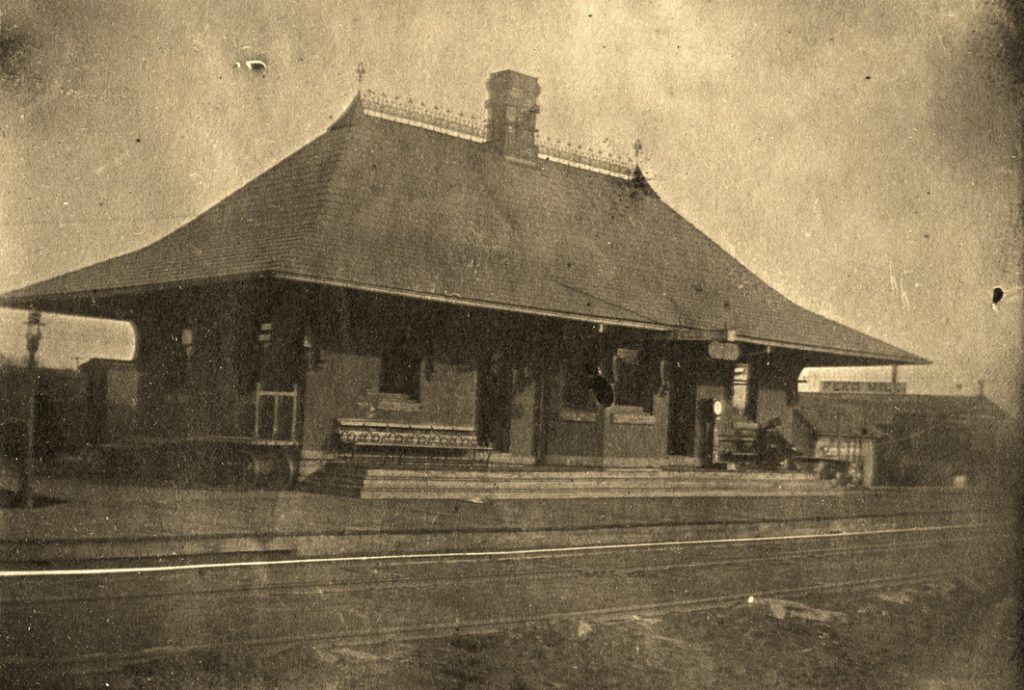
In previous iterations of this class, we have learned photogrammetry using MetaShape (formerly PhotoScan), the leading photogrammetry software. A demo mode is available for free that will let you try everything except exporting and saving your model. If you want to explore more, they offer a 30-day free trial of the full Standard or full Professional editions.
In-Class Exercise: Modeling Carleton’s 21st Century Buildings
In the past weeks, you’ve gotten a brief introduction to digital collections and metadata through the collection management platform Omeka and our Digital Objects of Carleton sample site featuring archive objects.
Last week we laid the mapping foundations for our class project on modeling Carleton’s buildings built since 2000.
As Carleton now embarks on a 2025 10-year Campus Facilities Plan, Facilities has asked if we can update the 3D map of campus to better reflect current reality and help with future planning.
To do so, first we have to gather data on the buildings Once we collect this data, we will import it and build a collection in an Omeka site, but we’ll start (as many good DH projects do) gathering data on the simple spreadsheet that you should have access to in Google Drive.
Have a look at the Carleton Campus Buildings list and think about which building you might want to model
Think about what building you want, and put your name in the Researcher column to claim your building
Many of these buildings are relatively new so there’s not a lot of info in the archives yet. The basic information on architects and years in the sheet is from this list of historic buildings maintained by facilities. But we want to add a little more. We’ll start to gather some sources to map and model our buildings and tell their story:
- START HERE: Explore the recent Student Life and Housing Plan and try to find as much info as you can on your building.
- Search that site and the rest of Carleton’s website to find as many images of your physical building as you can find
- Create a new folder for your building in the BuildingData folder of our shared Google folder
- Download each image file you find and move it into this folder
- Then document as much metadata as you can, following the instructions in this Metadata Guidelines for Dublin Core document
- Add records for each image to the
Data Entry Spreadsheet
I will eventually bulk upload these to our Campus History website so we can update it and bring it up to the present.
In-Class Exercise: Making Models the Easy Way?
There are an increasing number of methods for creating photogrammetry models in the market, and we are going to experiment with several of them and compare the results. Some of these methods require dedicated local hardware with lots of RAM and advanced graphics processing capabilities, others are cloud-based which offer speed and ease of use at the cost of some control over your data and the details of the process.
We will explore the following methods for creating photogrammetric models:
- Scaniverse (an app that leverages the latest camera and LiDAR scanner technology of iOS devices)
- Polycam (an app that works on any phone and can use photos or LiDAR to process and edit models)
- Agisoft MetaShape (the venerable desktop-based solution to process photos)
- Autodesk ReCap Photo (a cloud-based solution run from the desktop that integrates with other Autodesk offerings)
Options 3 and 4 we will go over in class the next class and you will complete for Sunday’s lab.
1) Using Phone Apps
- Download and install each of the apps, and follow the tutorials linked below
- Experiment in class with making a model of an object or a space (e.g. this room).
- These apps will process the models live and allow you to share and export results almost immediately


2) Taking Photos
- You will also take photos with your phone camera of the building you are studying.
- Leave class and before Thursday, take a series of images all around your building.
- These photos will be used for desktop applications and data recording for future proofing
The most important step in photogrammetry is collecting data: i.e. taking good photographs that will have sufficient information for the algorithms to stitch images together and extract 3D geometry from them.
3D Building Assignment: Part 1 (due THURSDAY):
Continue to work on the steps above and create
- 1 3D scan of your building using a phone app
- Take at least 30 images of your building from all sides and multiple heights/distances
- Save them to your BuildingData folder for us to use in class on Thursday
