Introduction
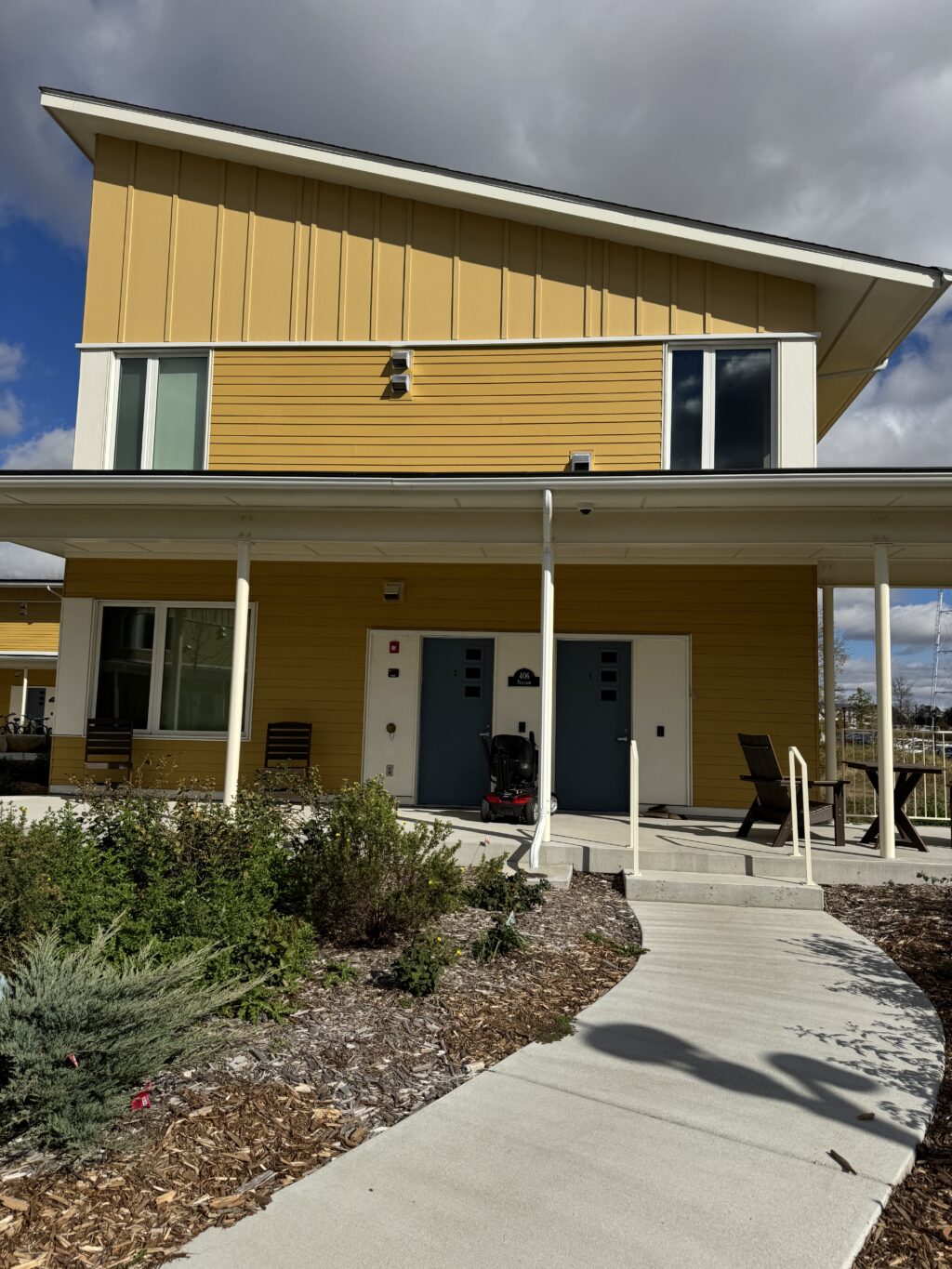
Trillium House is one of the newest student housing buildings on campus, built in Fall 2024. It is part of the Lilac Hill community, which is located next to the Rec Center.
This week, I had the pleasure of trekking up to Lilac Hill and recording lots of photos & videos of Trillium in an attempt to create a couple of 3D models. Here is how it went:
Polycam
This first model above (if you can really even call it that in this condition) was created with the Polycam mobile app. The app allows you to take a scan of the entire building and then attempts to turn it into a 3D model. The app was pretty simple and easy to use and very quick to produce results, but the quality of those results is definitely sub-par to say the least. In fact, I actually tried to scan the house twice using this app and this was the better result of the two.
MetaShape Pro


This second model was slightly better, but still pretty abysmal. I created it using the MetaShape Pro app on my computer. This program was definitely a lot more complicated than the mobile app, and anytime I ran any operation on the model it took several minutes to load. My physical laptop also seemed to be pretty overwhelmed as well– it got concerningly warm while doing this. However, since MetaShape allows you more fine-tuned control of the process, I think it does give better results than Polycam if you’re willing to put in the extra work.
I was able to create the above model by uploading about 80 pictures of Trillium at different angles into my MetaShape workspace, aligning them a dozen different times, and then creating a point cloud. The point cloud was definitely a game-changing step that made the model look so much better and more closely resemble the actual house. (The model did not even look remotely like a house originally).
Reflections
Obviously, these models are not the best. We had a pretty good laugh about them in class. But trying to model Trillium House was very different from just looking at photos or maps. Photos give you a few angles, maps give you a top-down view, but building a 3D model makes you think about the entire building as a unit: how the parts fit together, the proportions, and little details that aren’t obvious until you try to recreate them yourself.
Actually making the models also gave me a deeper sense of how much information a building holds. When you’re reconstructing it, you notice things that tell you about the design choices and even the building’s function. It made me realize that even ordinary campus buildings have layers of detail and history.

Hello Daya, I love how you display this kind of outcome when it comes to photogrammetry. Sometimes photogrammetry does not develop properly, and can result in some pretty funny looking products. This certainly holds true for one of my models. I am wondering why many of our models as a class came out looking like this. Is it simply our lack of experience? Or is it to do with the software itself? Or possibly, is it because we are using the free version of this software? Who’s to say exactly… Many questions left unanswered!