I signed up to model Anderson Hall, but since Anderson is connected to Olin and Hulings, I ended up scanning all three buildings and capturing over four hundred photos for the project. The Metashape program took nearly an entire night to run, and I had to remove several regions that fell outside the intended boundary. The final model turned out quite decent, but the file was unfortunately too large to upload to Sketchfab, so I included a snapshot of the model instead.

The result I got from using Scaniverse was actually quite good as well. The textures came out very clear, and the app conveniently guided me on where to scan next to achieve the best coverage. However, since it required scanning from multiple perspectives and I couldn’t reach higher angles, the model only includes the first floor of the building. I’ll discuss this limitation in more detail in the reflection section.
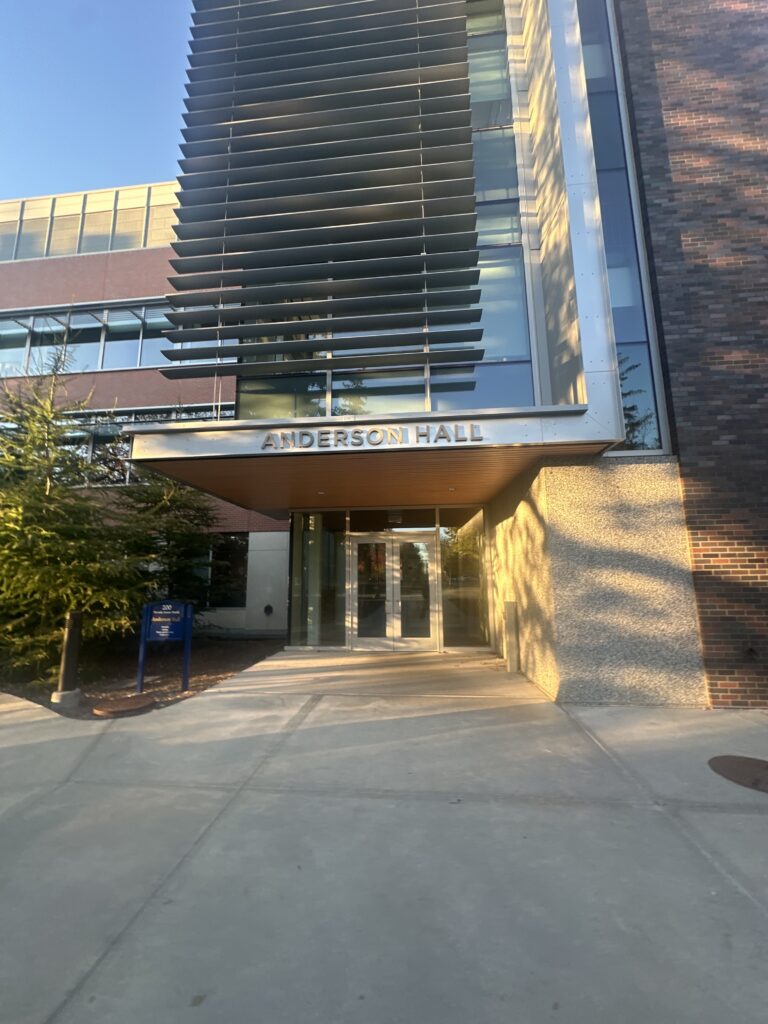
Here is one of the four hundred photos I took:
Reflection
For the past three and a half years, I’ve had classes in Anderson almost every term, but I never walked around the entire building just to look at it. The structure of it wasn’t that clear to me until now. I never paid much attention to the side doors or corners, but now I know exactly how the doors are arranged and how the Olin – Huling -Anderson complex is connected.
One problem I encountered during modeling was that I couldn’t scan the building from all perspectives. The Anderson Hall was simply too tall for me to capture a proper top view. When I scanned with Scaniverse, I was only able to reconstruct the first floor of it. I think using drones could greatly help address this issue. It’s difficult to replicate the structure of a cluster of buildings through the effort of a single person.
I think it’s interesting to show how the three academic buildings are connected, and how the newer building -Anderson Hall in particular – fits into the campus layout. I noticed that PolyCam has a function that allows users to scan both the interior and exterior of a building. Although Anderson was too large for me to scan completely, I can imagine how valuable it would be to include interior scans for visualization. The settings inside Anderson are quite interesting, with many areas designed as laboratories or study spaces for students. It would be nice to highlight that aspect. It would also be interesting to show how students move and gather inside the three academic buildings, since we often have different types of classes and activities in each of them.

Hi Evelyn! Your scan model for Anderson Hall is amazing! It is a much larger building than a regular townhouse, and I am surprised by how well your 3D model looks. You said you could only take photos for the first floor because of the building’s height, and I think that’s understandable. I agree with your point on making the model more useful by scanning and modeling for both external and internal details of the building.
I really admire your dedication in taking over 400 pictures for this project! I can only imagine how long this whole process took and puts into perspective how much work must be done to create any photogrammetry projects, especially with buildings that require height variation in pictures to capture upper floors and roofs. It also can give you a new appreciation for and perspective on these buildings that we have classes in throughout the terms to reflect on different design elements that you may have never noticed. Again, great job!